
Personalized Outbound Strategy
Get The Right Outbound Strategy In Minutes
Enter your email to get a custom plan & stack recommendation for your business
It's being carefully crafted by AI
Please check your mailbox in 5 minutes

Three things can go wrong with a list your validator just marked as clean.
A catch-all address passes the check, then bounces when your campaign reaches it. A spam trap can slip through too, and it never bounces, so your first warning is a blacklist alert on a domain you’ve spent weeks warming. And someone who changed jobs after the list was built stays “verified” in the file you bought.
So if your approach to list hygiene is “I run everything through a verifier,” you’re doing one of five steps. Verification tells you an address existed when you checked it. It doesn’t tell you whether the person still works there, whether they’d buy from you, or whether your last campaign already reached them.
For cold email, email list hygiene covers the whole routine, from checking contacts before they enter a sequence to removing them after campaigns and watching for mailbox damage. I’ll walk you through the five checks, when to run them, the tools I’d use, and the placement scores that tell you to pause and clean.
Here’s the whole routine in one place. The table covers each check, when to run it, and which tool to use.
The first five checks clean the list itself. The last three show whether a list is hurting your mailboxes and protect their reputation while you fix it.
Email list hygiene means making sure every address you send to is real, still active, and worth contacting. For cold email, that work starts before the first send and determines whether your mailboxes stay healthy enough to keep sending.
Most list hygiene advice assumes people signed up to hear from you. A newsletter list starts clean and gets stale over time, so cleaning it means removing people who stopped opening and trying to win back those who lost interest.
A cold list works the other way around. Nobody opted in, and you have no history with anyone because your first email is your first contact. You can’t clean it based on past behavior because there isn’t any. So you need to clean it before a contact enters a sequence.
That changes what you check for:
Every bounce and spam report counts against the sending mailbox and its domain. A list full of dead addresses and poor-fit contacts can undo weeks of warmup in just a few days.
I often hear the same objection: "My mailboxes are warmed up, so I'm covered." Warmup builds a mailbox’s reputation, and a bad list uses it up. Warmforge’s placement test guidance makes the order clear. When a mailbox scores in the Bad range, with 0 to 69% of emails reaching the inbox, its first recommendation is to pause campaigns and clean your list.
If you send from your main company domain, the damage goes further. Spam reports affect every email sent from that domain, including customer emails. In the worst case, Google can suspend the entire Workspace account and lock out every employee.
Here’s the order I’d follow. Each step removes a different problem, so skipping one leaves that problem in your sequence.
Run an email validity check on every address, even if your data provider says the list is already verified. People change jobs and companies close mailboxes, so an address that worked when the list was built may be dead when you send.
If you use Salesforge, validation is built in. Pro includes 300 validation credits a month, Growth includes 1,000, and you can buy more in the app.
If emails are missing or look unreliable, upload your list to Leadsforge as a CSV. Each lookup checks more than 20 data providers for a verified work email, and you only pay a credit when it finds one.
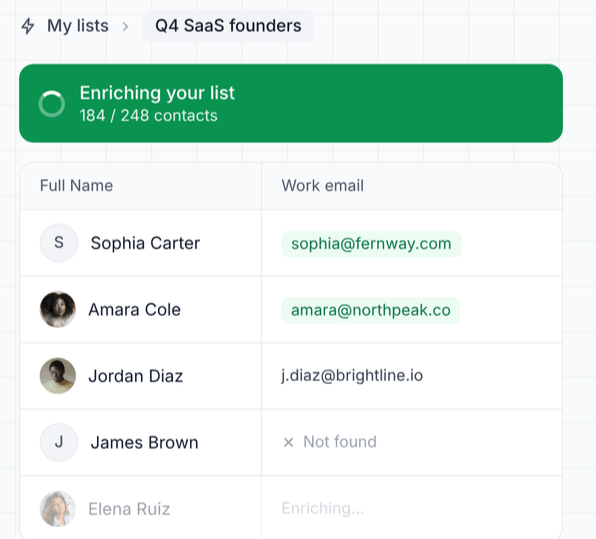
You pay nothing when no email is found, so you can check the whole list without paying for missing results.
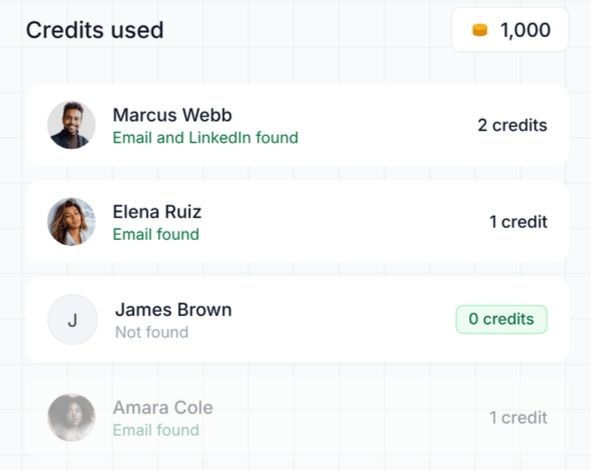
Validation groups your contacts, and each result needs a different response.
Catch-alls are harder to judge. The domain accepts every address you check, so validation can’t confirm whether the person exists, and these contacts bounce far more often.
I’d send to fewer of them separately rather than mix them into a clean list and lose track of which contacts bounce.
Lists from different sources overlap, and sending someone the same pitch from two mailboxes can quickly get you marked as spam.
Remove duplicates before importing. Leadsforge automatically removes duplicates in bulk requests and skips contacts you’ve already enriched, so you don’t pay twice.
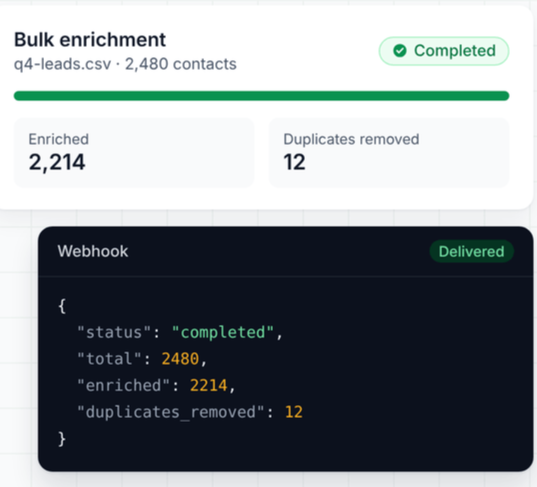
Also compare new lists with people you’ve already contacted, so someone who said no last month doesn’t receive your first email again.
A valid address doesn’t always mean a good contact. Emailing people with no connection to your offer leads to more spam reports, which hurt your mailboxes as much as bounces do.
So check fit before sending. Leadsforge lets you filter a list by job title, seniority, industry, company size, and revenue.
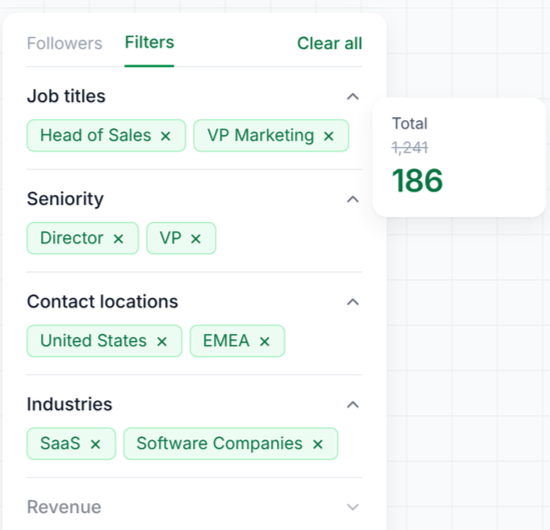
You can also score leads using your own qualification prompts and remove anyone below your threshold.
Cleaning doesn’t end when a campaign starts. Every send tells you something about the list.
In Salesforge, Primebox lets you label replies as you review them, including Wrong contact and Negative.
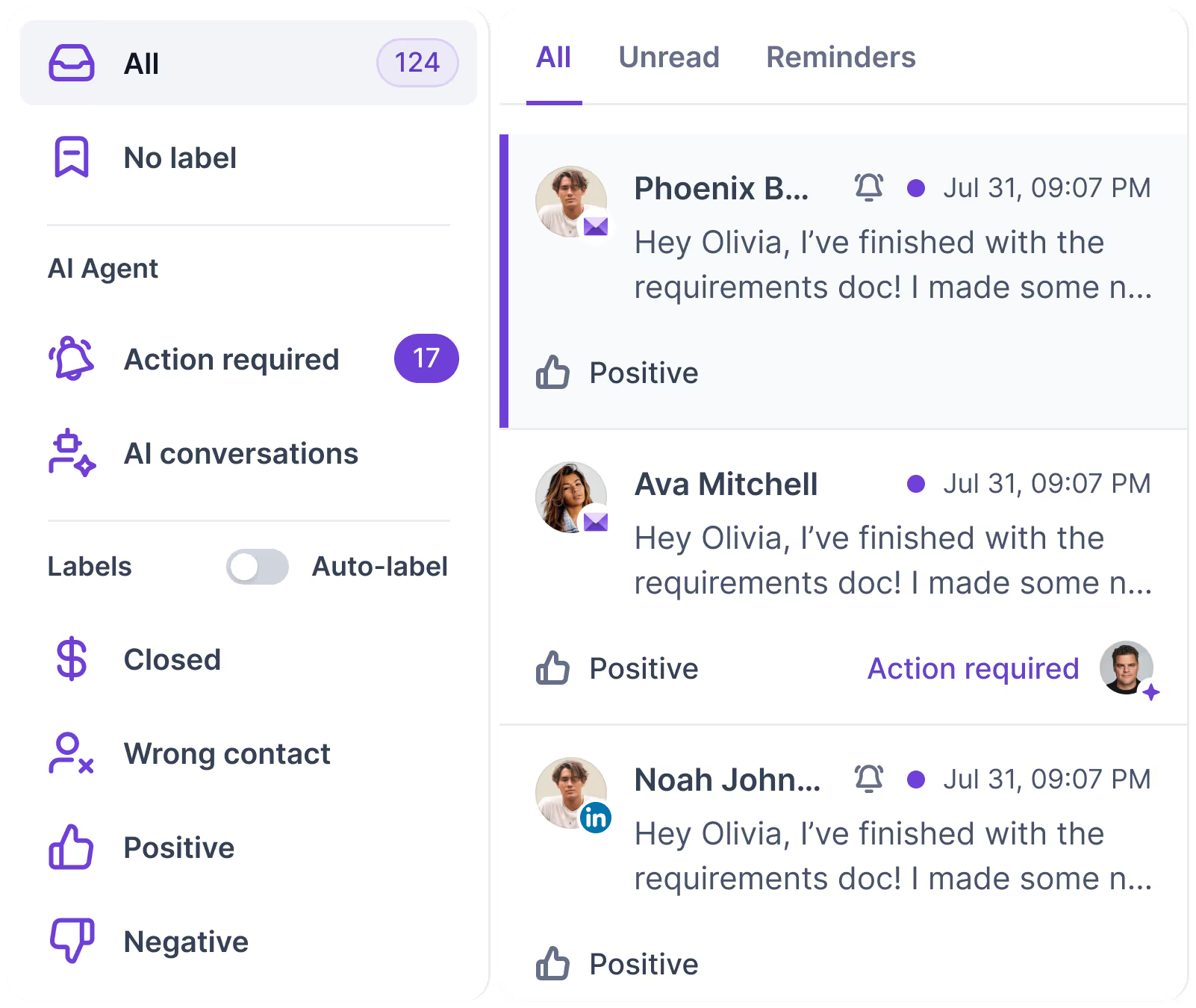
Analytics also tracks each sender’s bounces and opt-outs, helping you identify the list or mailbox causing problems.
For wrong contacts, don’t just delete them. Search the company again in Leadsforge using the right job title, and you’ll have a better contact than before.
Clean a list before every send, rather than on a fixed schedule. That’s the short answer.
A newsletter list stays in one place and slowly gets stale, so monthly or quarterly cleaning works. A cold list is different. You build new lists, send to them once or twice, then move on. So the right time depends on what you’re doing with the list, not the calendar.
The monthly placement test doesn’t check the list itself, but it shows whether your lists are hurting you. Warmforge recommends at least one test per mailbox each month. Every Warmforge plan includes one free monthly test.
If you need to test more mailboxes, Pro includes 100 tests a month, with up to 50 mailboxes per test, for $32.50 a month billed annually or $39 billed monthly.
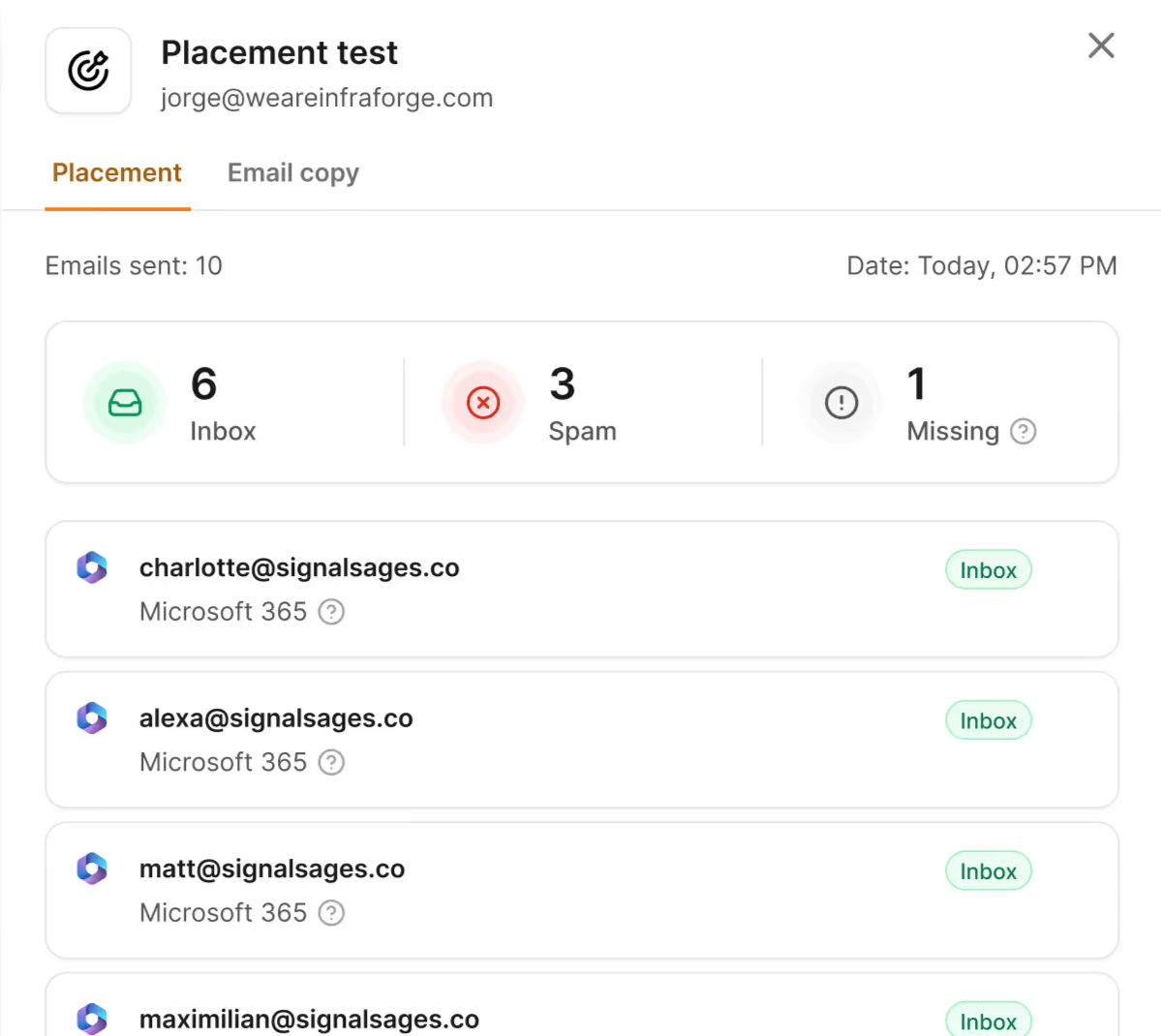
If your results drop between checks, don’t wait for the next one. The next section covers signs that a list needs attention now.
A list problem rarely looks like one at first. It shows up as more bounces, more emails in spam, or fewer replies. These four signs point to the list. Each also includes a quick check to rule out other causes before removing contacts.
Watch each sender’s bounces, not just the campaign total. Salesforge’s analytics shows bounce rates, reply rates, and opt-outs by sender, so one mailbox sending to a bad list doesn’t disappear into an average.
Then check the bounce types. If you use Primeforge mailboxes, each bounce shows its type, cause, and the receiving server’s status code.
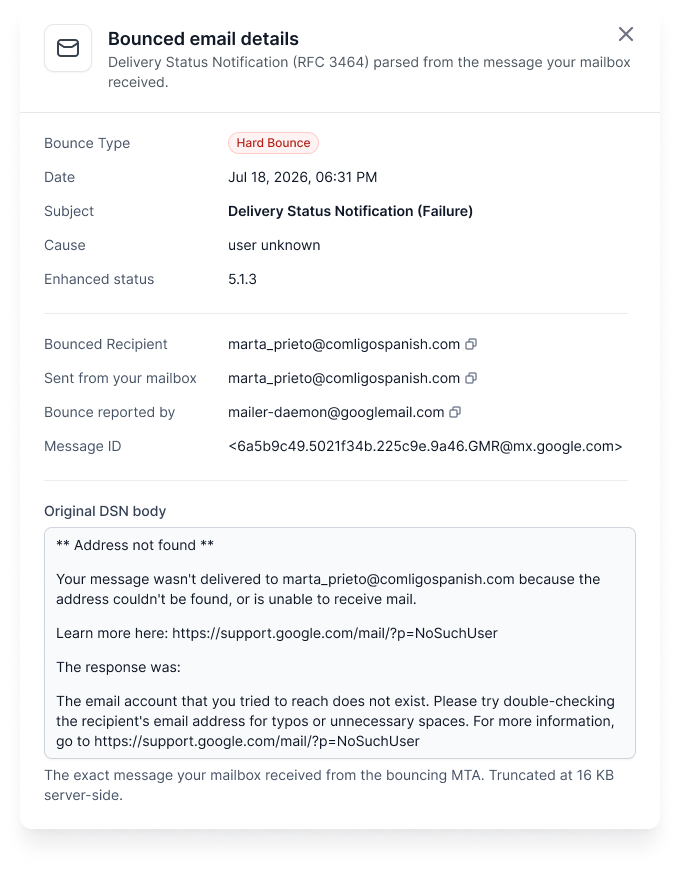
A placement test shows how many test emails reached the inbox, landed in spam, or went missing, broken down by provider.
If a previously healthy mailbox starts slipping, compare it with one sending to another list.
If only the mailbox using the new list dropped, that list is the likely cause. If every mailbox dropped together, check your copy or setup first.
Warmforge runs daily health checks on each mailbox. It checks your domain and sending server against blacklists, along with SPF, reverse DNS, and other setup checks.
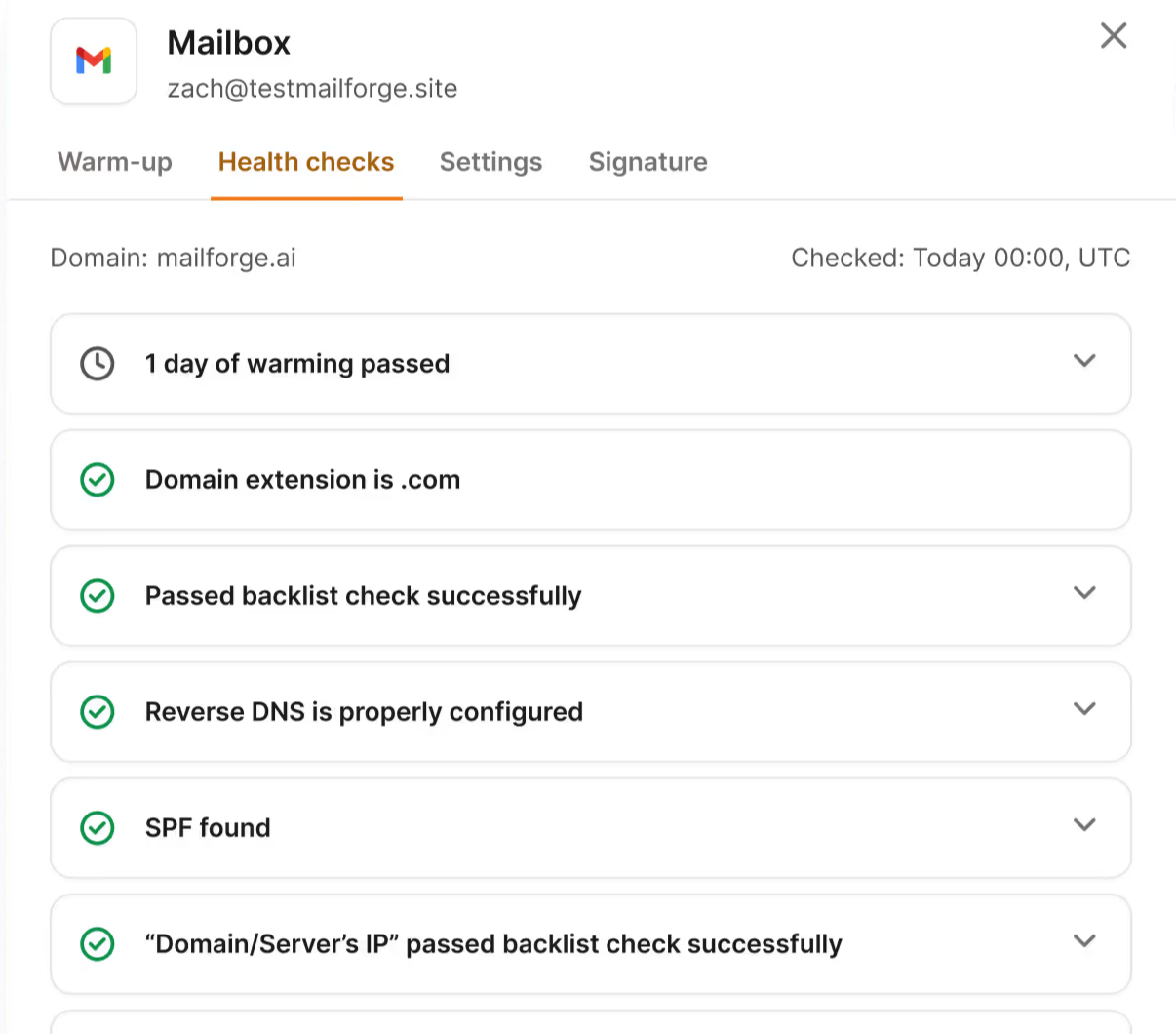
Blacklisting usually follows emails sent to spam traps or lists that generate many complaints. If it happens, pause that mailbox’s campaigns, clean its lists, and resume only when the check passes again.
If the listing doesn’t clear on its own, here’s how to remove your domain from a blacklist.
If sending volume stays the same but replies drop, your emails either aren’t reaching the inbox or are reaching the wrong people. Run a placement test to find out which. If placement is fine, relevance is the problem, so return to Step 4 and narrow your filters.
Watch reply rate here, not open rate. Open tracking is unreliable, and enabling it can hurt deliverability.
You’re right. Here’s the full section, with an image after every sentence supported by a screenshot.
To be clear, Warmforge doesn’t verify email addresses. Leadsforge and Salesforge’s validation handle that. Warmforge shows how your lists affect your mailboxes and helps maintain their reputation while you fix the problem.
When something goes wrong, first work out whether the list or setup caused it. Warmforge checks the setup for every connected mailbox, including SPF, MX records, reverse DNS, and blacklist status for your domain and sending server’s IP.
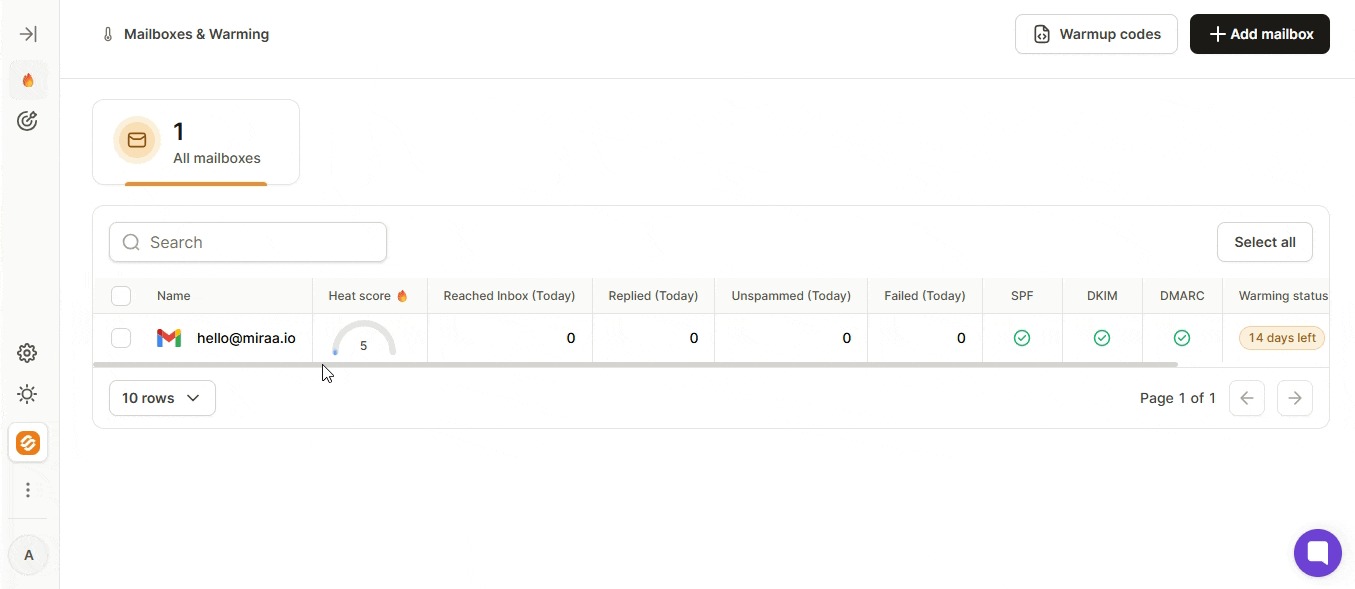
You get an alert when something fails, so you don’t need to check every mailbox manually. If all health checks pass but results still drop, the list is the more likely cause.
A placement test sends your email to addresses across providers and shows how many reached the inbox, landed in spam, or never arrived. You use the copy you plan to send, so the test checks your actual campaign rather than a sample message.
Results are split by provider. A mailbox might perform well with Google Workspace recipients but poorly with Microsoft 365, which an average would hide
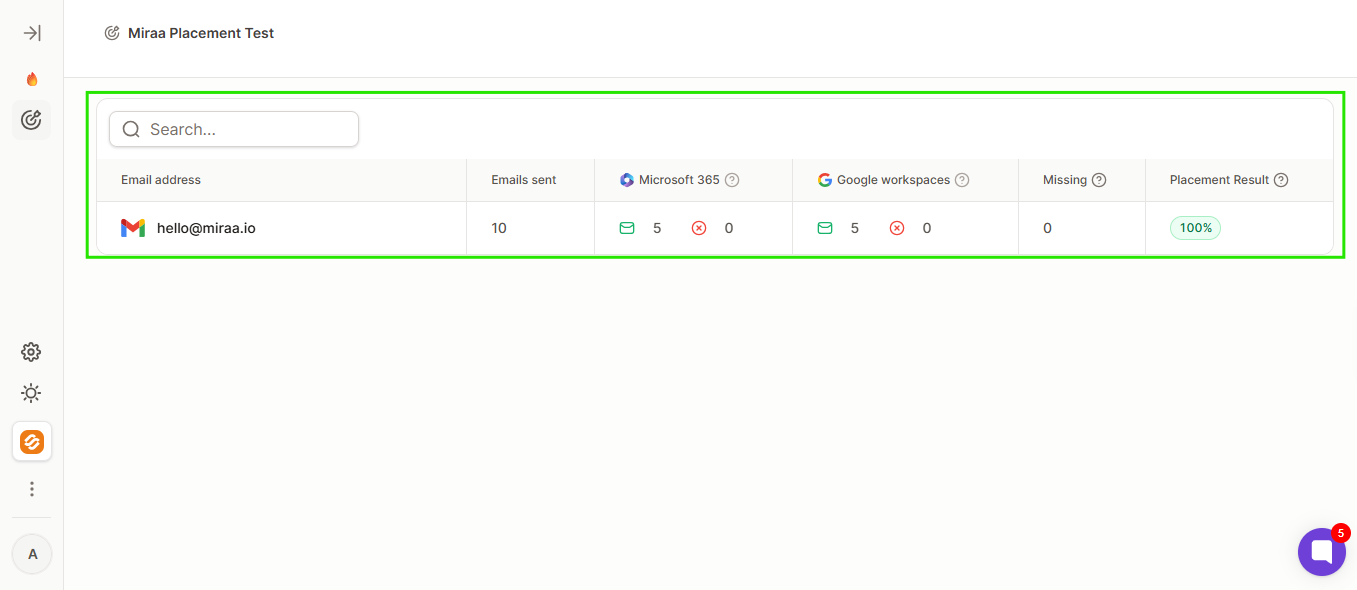
I’d test before a new list goes live and again after its first week.
When a list damages a mailbox, pause campaigns, not warmup. Warmforge recommends leaving warmup on because switching it on and off signals irregular sending to inbox providers.
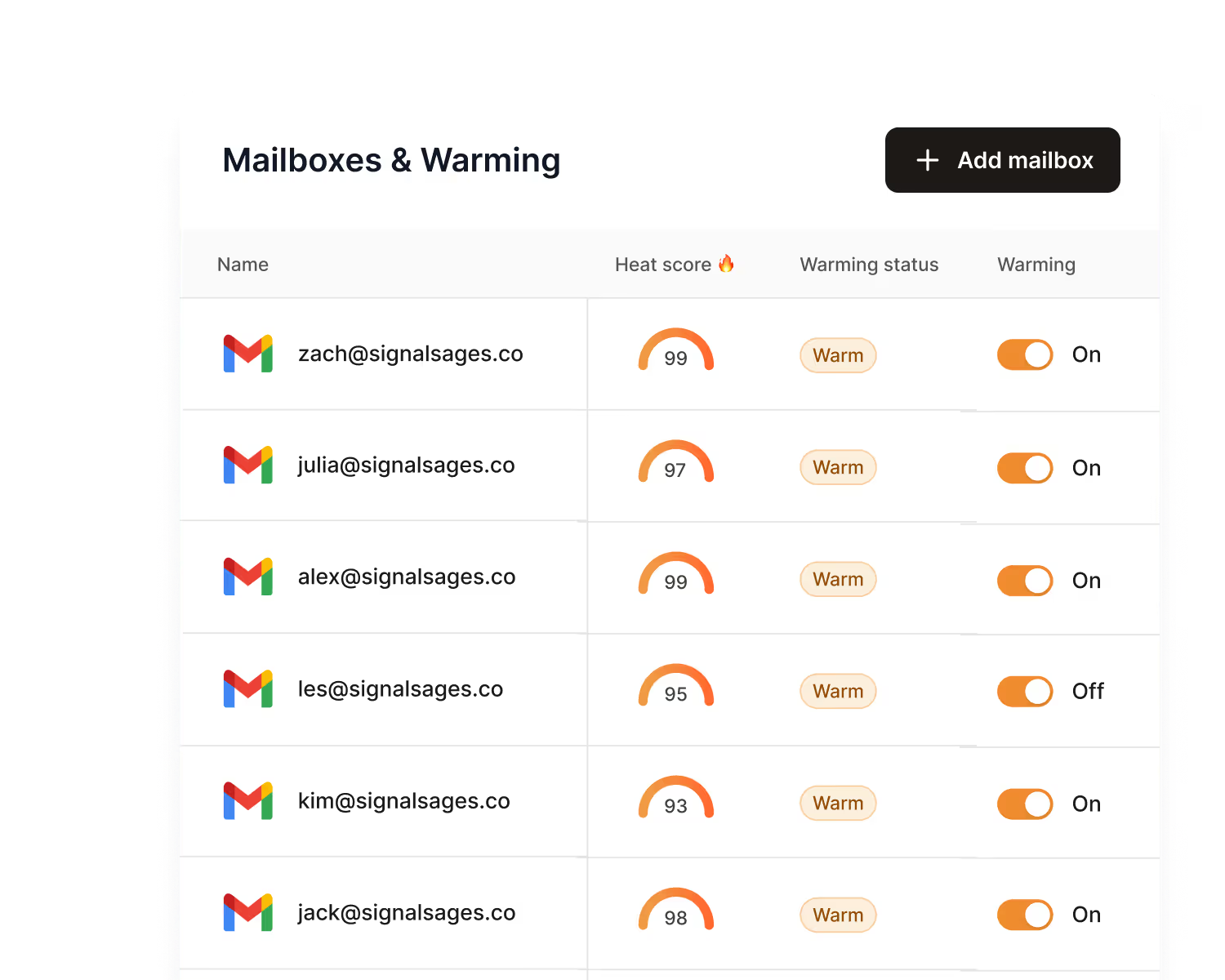
Warmup keeps running while you clean the list. Your mailbox exchanges AI-written emails with aged Google Workspace and Microsoft 365 accounts. If a warmup email lands in spam, Warmforge moves it out, signaling to the provider that your mail is wanted.
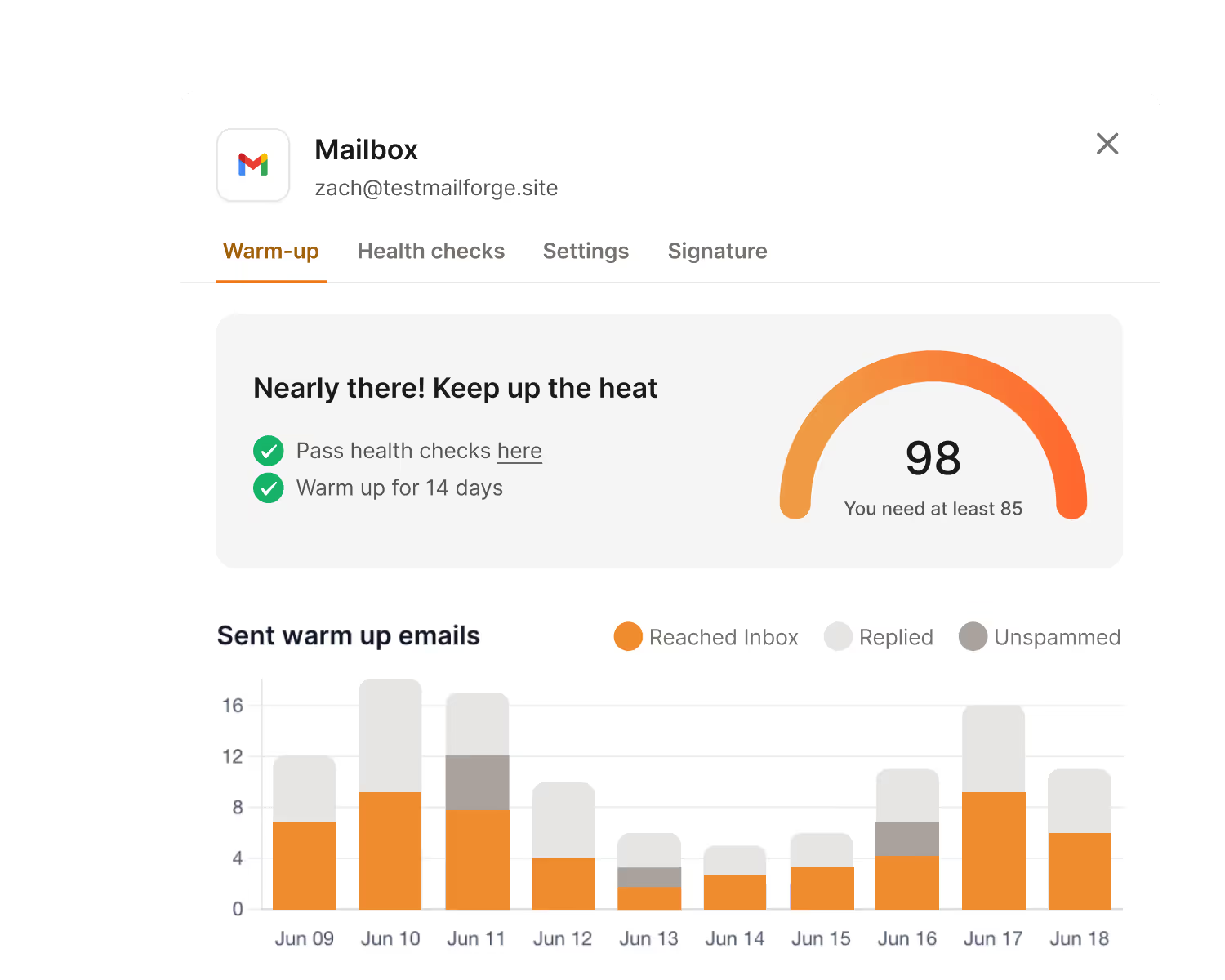
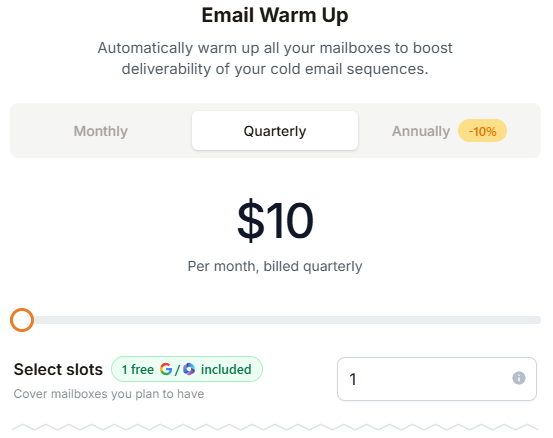
If you send through Salesforge, Warmforge warmup is included for unlimited mailboxes, so the slot price doesn’t apply. There’s no contract either way. Since there’s no free trial, the free placement test is the easiest way to check your results before paying.
Enter your email to get a custom plan & stack recommendation for your business
Please check your mailbox in 5 minutes
Cleaning a list costs the least before you send. It costs most after a domain gets blacklisted, when you’re replacing the domain, waiting through another warmup, and fixing the list.
If you’re unsure where things stand, start with your latest campaign. Run a free Warmforge placement test on the mailbox that sent it.
A score of 95% or higher means the list held up. Below 90%, run your next list through all five checks before sending.
From there, Warmforge monitors every connected mailbox with health checks and warmup that runs while you send. If you already use Salesforge, that warmup comes at no extra cost.